[9/21 Update: I received a scan with Kinect connected to a PC with dual GPU last week, printed out that model and attached the result pictures at the end]
I received my Windows Kinect Adapter and here is the workflow I followed to go from 3D scan to a 3D printout on the 3D printer:
1. Download and install the Kinect SDK.
2. Originally I was going to use 3D Builder from Microsoft, but apperantly the scanning function is missing on the Windows 10 version. Luckily, KScan3D is free and available, so I used it.

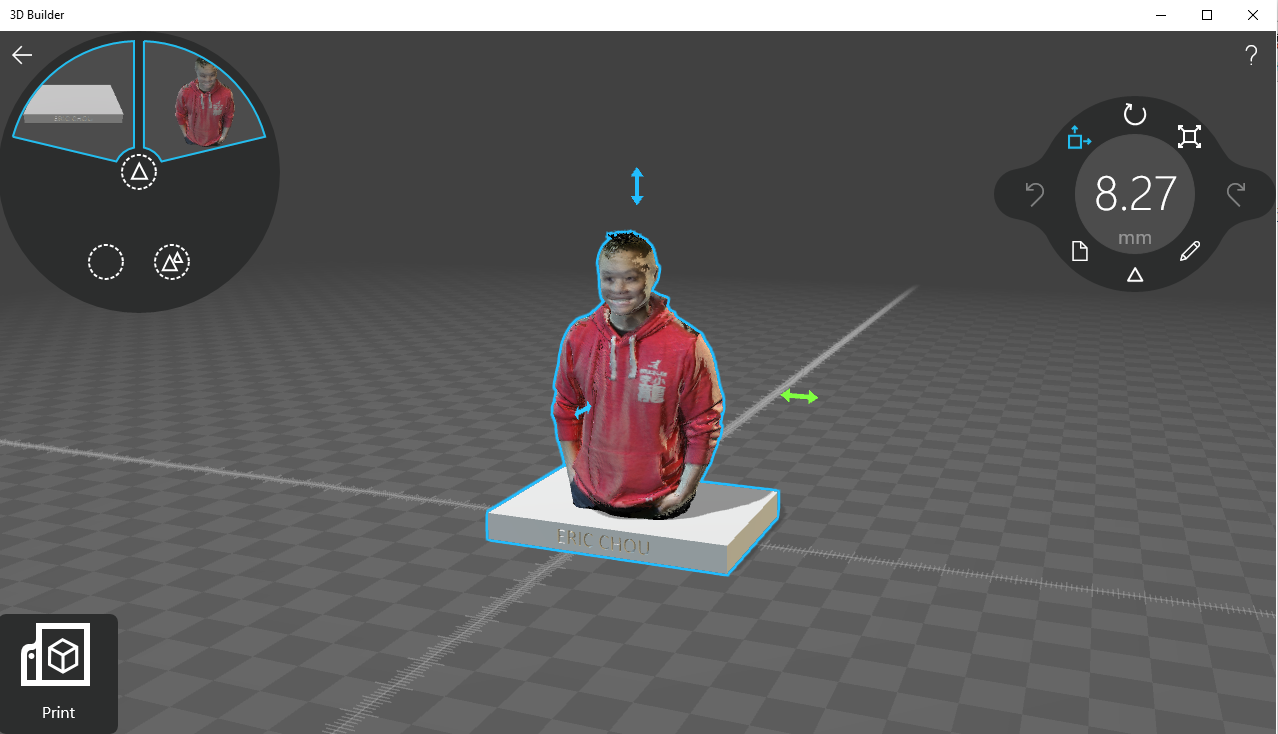
3. Then I use 3D Builder to correct the image, slice it, and put a base to print better, save it as stl file. Note that because I was by myself and rotated myself instead of the scanner, the top of my head was empty, so I put a hat on top of my head.

4. Finally, I used MakerWare to open the file and save it as x3g on the SD card to print on the Replicator 2. To save time, I shrink the size so it can print in 30 minutes.

5. I should have used support on the hands, or use support, but here is the final print:


I will be the first to admit it is a bit creepy to see yourself printed out, but hay, it is also very cool!
Happy Making!
[9/21 Update: Kinect + Windows 8.1 3D Builder Scan connected to PC with dual GPU]